
Tropic Tumble: Kitchen Merge
Support & help
Simple fixes for the most common questions, and how to reach a real person on our team when a fix does not do it.

Start here
Quick fixes
Most reports we see are solved by one of these three small steps. It only takes a minute and saves a day of back and forth by email.
1. Fully close the game and reopen it
On iPhone, swipe up from the bottom and flick Tropic Tumble: Kitchen Merge off the screen. On Android, tap the square or Recents button and swipe the card away. Then tap the icon again. A clean restart clears about half of the little glitches you might run into.
2. Check your internet connection
The game itself plays offline, but purchases, cloud saves, and live events need a working connection to sync. Try loading a website in your browser to be sure the connection is really live.
3. Make sure you are on the latest version
Open the App Store or Google Play, search for Tropic Tumble: Kitchen Merge, and tap Update if you see the button. We ship fixes often, and the bug you found may already be gone in the newest build.
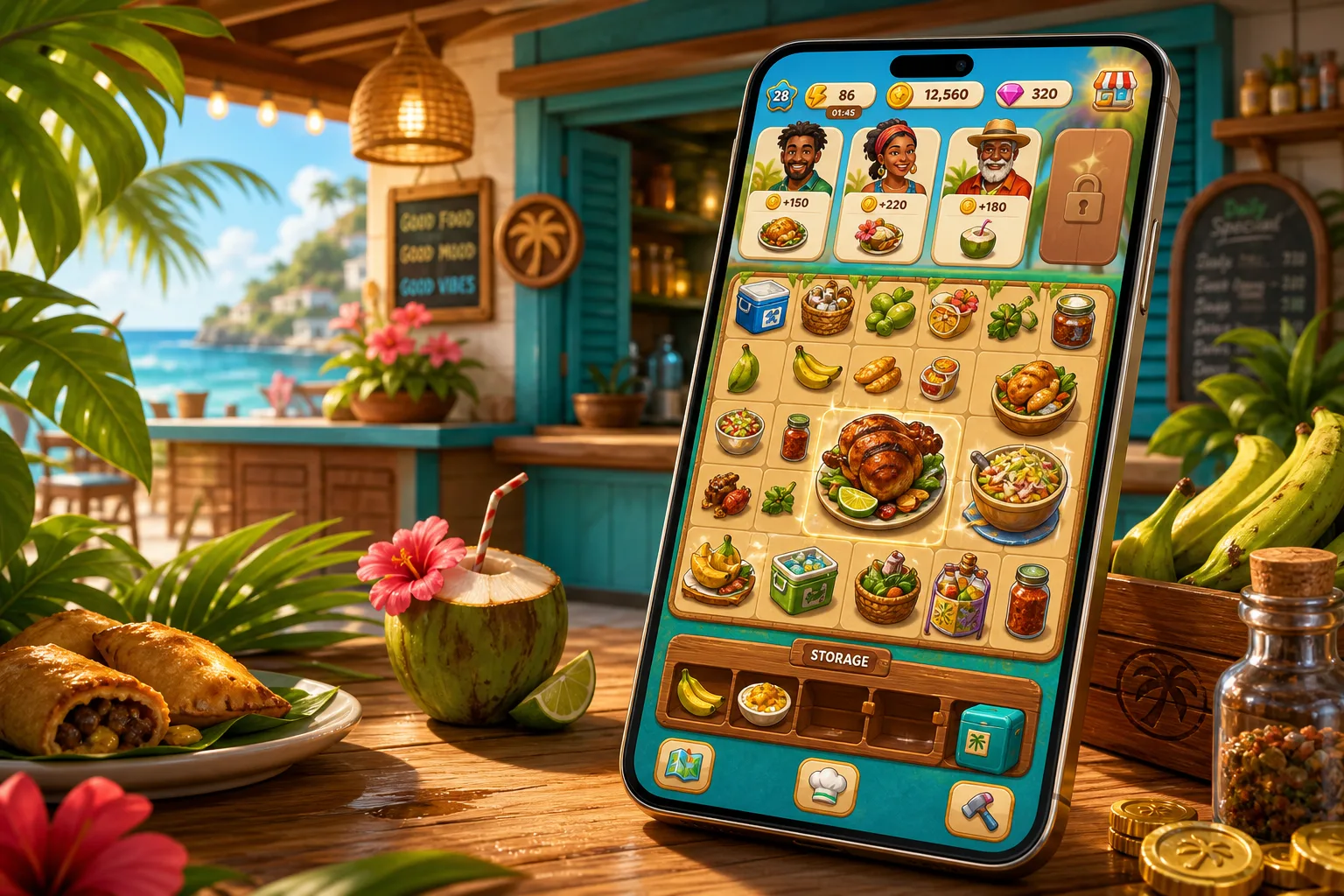
Inside the game
In-game problems
Tap any question to see the answer. Each one opens on its own so you can focus on the fix you need.
 The merge board is frozen or not responding
Try a full close and reopen first. If the board is still frozen, look at the top-right corner for a small spinner. If it is spinning, an animation or a customer order is still resolving and the board will unlock in a second or two.
If nothing is spinning and the board still will not respond, restart your phone. As a last step, open Settings inside the game and tap Rebuild board, which redraws the board without changing any of your items.
 An order I was working on disappeared
Orders have a patience timer. When a customer runs out of patience they leave, and their order goes away. This is intentional and it costs you nothing except the order reward.
Not every customer has a visible timer, but roughly seven in ten do. If an order vanished the moment you closed the app, that is the same behaviour: closing the game does not pause the game clock for timed orders.
 Coins or gems I earned are not showing
Reopen the game once so the top-of-screen counters can refresh. If the number is still off, tap the counter itself, which opens a short breakdown of your last few earnings and spends.
If a reward is missing from that list, email us with your device model, the version number from Settings, and roughly when the reward was earned. We can look up your purchase and reward log and top up anything the game owes you.
 My energy is stuck and will not regenerate
Energy fills automatically over time when the game is closed. The default is one energy every three minutes, up to your current cap.
If your energy has not moved in a long stretch, check that your phone's clock is set to automatic rather than a manual time. A clock set in the past prevents the game from crediting the minutes you were away.
 My save did not sync between phones
Tropic Tumble: Kitchen Merge stores your progress on the device where you play. There is no account to sign into, and there is no cross-device sync at this time.
If you are switching to a new phone, tell us before you factory-reset the old one and we will walk you through the backup process for your platform.
 A limited-time event will not load
Events need an internet connection to check whether they are currently live. If the event tile shows a spinner that never resolves, close the game and try again on a stronger connection.
If the event has already ended, the tile will be greyed out. Missed events return, usually in a slightly different form, so nothing is gone forever.
 Some artwork looks like a grey box or is missing
The first time you visit a new island or kitchen, the game loads its art in the background. On a slow connection this can take a minute. Wait about thirty seconds and then leave and re-enter the room.
If a piece of art is still missing after a full close and reopen, please send us a screenshot so we can chase it down.
 The music or sound effects stopped working
Open Settings inside the game and check the Music and Sound sliders. Also check your phone's silent switch and its media volume.
On iPhone, the game respects the ringer switch, so if it is set to silent, the game will be silent too. If the sliders are up and the phone is not silenced, close the game and reopen it to reset the audio.
Money matters
Purchases and billing
Coins, gems, subscriptions, and refunds. Tap the one you need.
I bought coins or gems and they did not arrive
Give the game about a minute to hear back from the store, then close and reopen the game. In almost every case the balance updates automatically.
If it does not, open Settings inside the game and tap Restore purchases. If restore does not fix it, email us with the order number the App Store or Google Play sent you, and we will make it right.
How do I restore a previous purchase on a new install?
Sign into the same App Store or Google Play account you used originally. Open Tropic Tumble: Kitchen Merge, go to Settings, and tap Restore purchases.
Any non-consumable purchase, such as Remove Ads or a permanent bundle, will be restored. Consumable purchases, such as a one-time coin pack, are used up when they are spent and cannot be restored.
How do I cancel a subscription?
All subscriptions are billed by the app store, and you cancel them the same way you would for any other app.
- iPhone or iPad: open Settings, tap your name at the top, tap Subscriptions, then Tropic Tumble: Kitchen Merge, then Cancel Subscription.
- Android: open the Google Play Store, tap your profile icon, tap Payments and subscriptions, then Subscriptions, then Tropic Tumble: Kitchen Merge, then Cancel subscription.
Cancelling stops the next renewal. Your paid benefits continue until the end of the current billing period.
Can I get a refund?
Refunds for App Store and Google Play purchases are handled by Apple and Google, not by us directly. Visit reportaproblem.apple.com for Apple purchases, or open the Google Play order history in the Play Store app for Google purchases.
If the store approves the refund, the currency or content bought is removed from your account automatically. If you were charged twice, or a purchase truly did not deliver, email us first so we can confirm what happened on our side.
Still stuck?
Write to us
We are a small team and we read every message. Please include your device model, your OS version, the app version from Settings, and a short description of what happened.
Faces of the Kitchen
Miss Gloria 
Fisherman Lloyd 
Keisha 
Little Marcus 
Auntie Dawn 
Deacon Isaiah